
SeedMapView vs Cubiomes Viewer: Browser Map vs Desktop App
Quick answer: SeedMapView wins for almost every player. It supports newer versions (Java 26.3 instead of 1.21), Bedrock Edition, real 3D terrain, ores and chest loot, and it runs in any browser. Cubiomes Viewer remains the stronger tool for one thing: scripted searches through millions of seeds.
Cubiomes Viewer is a desktop app built on the cubiomes library. It is popular with seed hunters, because its search can combine many conditions and even run Lua scripts. If you are looking for a Cubiomes Viewer alternative, here is an honest side-by-side comparison.
SeedMapView vs Cubiomes Viewer at a glance
| Feature | SeedMapView | Cubiomes Viewer |
|---|---|---|
| Newest Java version | 26.3 | 1.21 |
| Bedrock Edition | ✓ | ✗ |
| Platforms | Any browser, phones too | Windows and Linux (macOS not formally supported) |
| 3D terrain | ✓ | ✗ 2D and height map |
| Ores with Y levels | ✓ | ✗ |
| Chest loot | ✓ | ✗ |
| Languages | 22 | 3 |
| Seed library and seed pages | ✓ | ✗ |
| Seed finder | ✓ up to 4 conditions, presets | ✓ advanced, Lua scripts |
| Quad witch hut / quad monument search | ✓ | ✓ |
| Structures and biomes | ✓ | ✓ |
| Free | ✓ | ✓ |
Same engine family, different goals
Both tools build on cubiomes, the open-source library that copies Minecraft's world generation. The structure positions therefore match. The difference lies in what each tool does with it.
Cubiomes Viewer is made for seed hunting: define a tree of conditions, start a search on all CPU cores and let it run. SeedMapView is made for playing: open a seed, see the world, find what you need near you and get the coordinates.
Newer versions and Bedrock
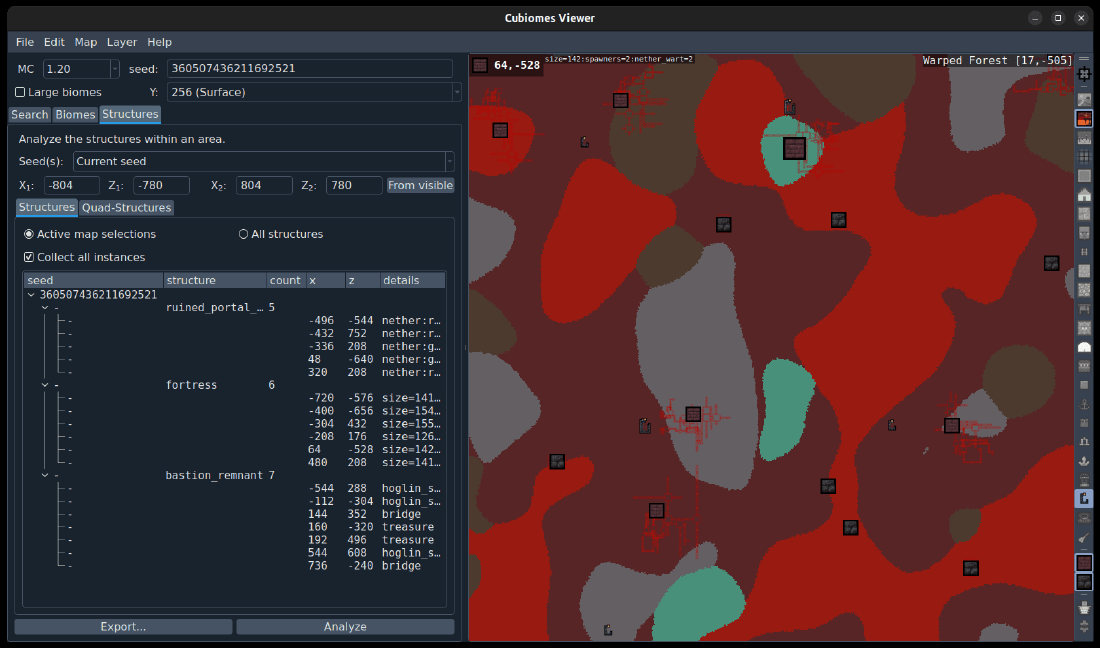
The latest Cubiomes Viewer release supports Java up to 1.21, with the Pale Garden added as experimental. It has no Bedrock support. As a result, the Spring to Life drop, the Chaos Cubed drop with sulfur caves and Wilderness Bound with the dappled forest are all missing.
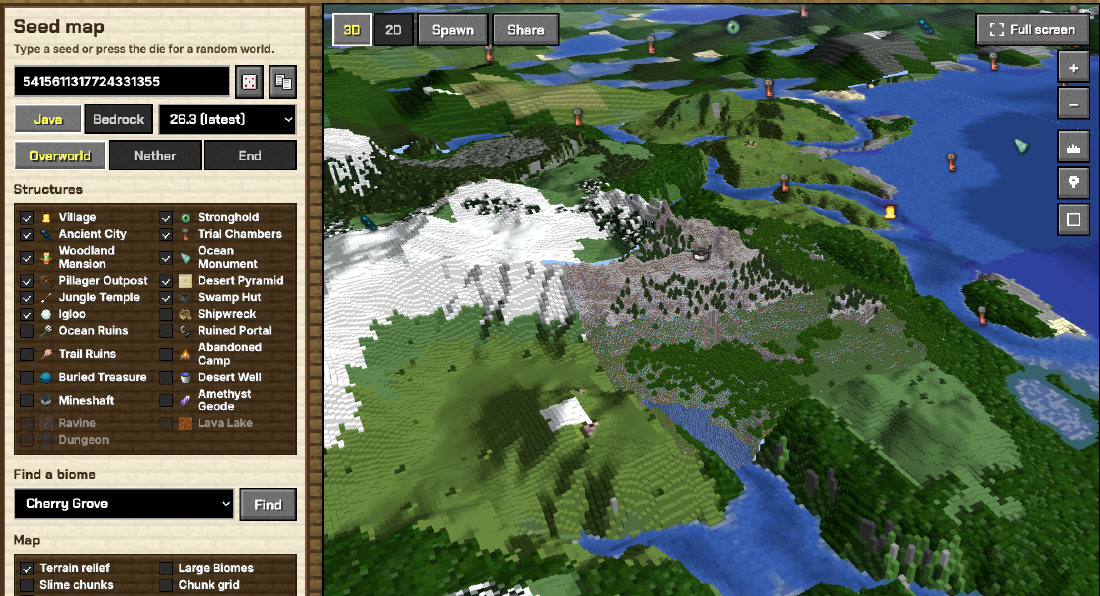
SeedMapView covers Java 26.3 and Bedrock 26.60, and it updates itself: a daily job checks the engine and Mojang's releases, tests new versions against the real game and publishes them.
See more than biomes
Cubiomes Viewer draws a 2D biome map with structure icons and an optional height map. SeedMapView adds a full 3D view with block textures and exact heights for Java 1.18+.
It also marks every ore vein with its Y level, predicts chest loot on Java, flags End Cities with an elytra and lists the closest structures to any point. On Bedrock, it adds dungeons, ravines and lava lakes. In other words, it answers "where do I go next?" rather than just "what is here?".
Where Cubiomes Viewer is better
For heavy seed hunting, Cubiomes Viewer is still the stronger tool. It runs natively on your PC, so it checks seeds faster than a browser can. It also supports logic between conditions and custom Lua filters.
For the classic farm seeds, however, you no longer need it. The SeedMapView seed finder finds quad witch hut and quad monument seeds in seconds. It also gives you the AFK spot. For anything more exotic, use Cubiomes Viewer, then open the seed in SeedMapView to explore it in 3D.
FAQ
Does Cubiomes Viewer support Bedrock?
No. It supports Java Edition only, up to 1.21.
Is SeedMapView a good Cubiomes Viewer alternative?
Yes, for exploring seeds: it supports newer versions, Bedrock, 3D terrain, ores and loot. For scripted searches over millions of seeds, Cubiomes Viewer is still faster.
Can I use both?
Yes. Find a seed with Cubiomes Viewer, then open it in SeedMapView to see it in 3D and find ores, loot and structures.