
Java vs Bedrock Seeds: Do They Make the Same World?
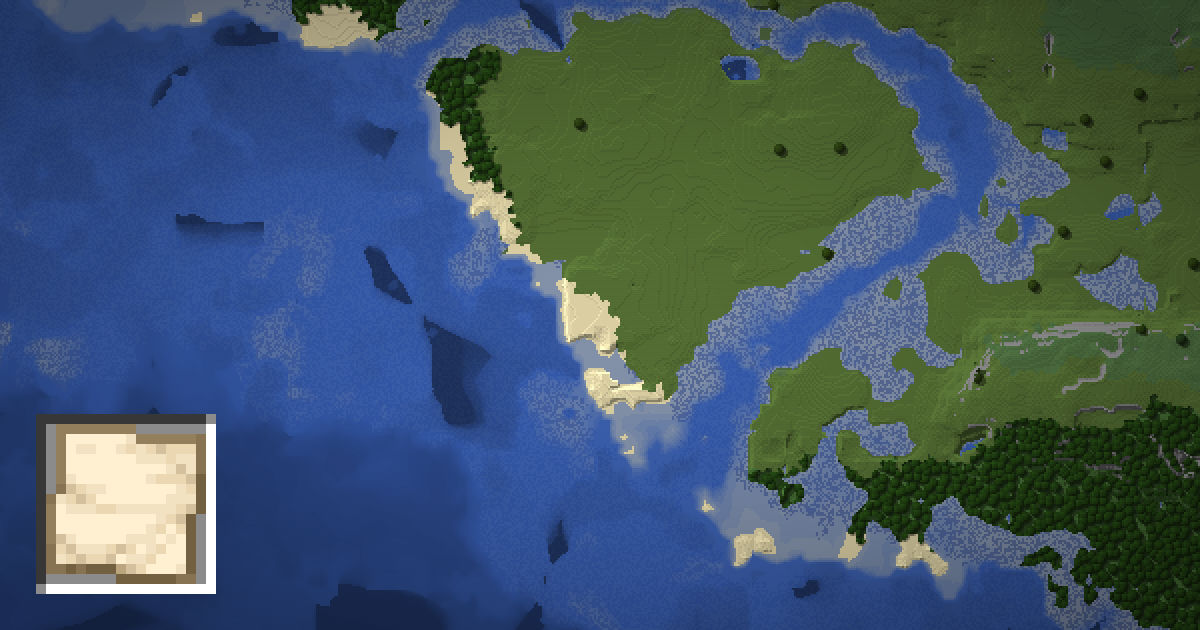
Can you use a Java seed in Bedrock, or the other way around? Since 1.18, the answer is mostly yes. The same seed now gives you the same mountains, rivers and biomes on both editions. But some things, like structures and the spawn point, still differ.
This guide explains Java vs Bedrock seeds in detail. You will learn what matches, what does not, and how to check a seed on both editions with the SeedMapView seed map, which supports Java 1.12 to 26.3 and Bedrock 1.18 to 26.50.
The big change in 1.18
Before 1.18, Java and Bedrock had completely separate world generators. The same seed gave two unrelated worlds.
Caves and Cliffs Part II changed that. Both editions moved to a shared generator for terrain and biomes. Since then, a seed creates the same landscape on both editions, as long as the seed is within the range Bedrock supports.
So if a friend on Bedrock shares a great seed with a mushroom island, you can play it on Java 1.18 or later and find the same island in the same place.
What matches on both editions
- Terrain shape. Mountains, valleys, cliffs, rivers and oceans line up.
- Surface biomes. The same biome sits at the same X and Z on both editions.
- Cave biomes. Lush caves, dripstone caves and the deep dark generally match.
- Large cave shapes. Big noise caves and aquifers follow the same layout in most places.
This makes biome hunting easy to share. A cherry grove or a mushroom fields island found on one edition will be there on the other.
Height matches as well. A mountain peak at Y 200 on Java will be at Y 200 on Bedrock. This is handy for planning builds, since you can scout terrain on either edition and trust the shape. Rivers and coastlines follow the same lines, so landmarks are easy to share with friends on the other edition.
What is different
| Feature | Same on both? | Why |
|---|---|---|
| Terrain and biomes | Yes (1.18+) | Shared generator |
| Structures | Mostly no | Different placement rules per edition |
| World spawn | Often no | Each edition picks spawn differently |
| Trees, flowers, ores | No | Decorations are placed differently |
| Slime chunks | No | Bedrock ignores the seed for slime chunks |
| Strongholds | No | Java uses 128 in rings, Bedrock does not |
Structures are the big one. Villages, temples, monuments, mansions and other structures use different rules on each edition. You may find a village in the same biome on both editions, but not at the same coordinates. Always check structures on the map for your own edition.
Small details differ too. Trees, flowers, grass and ores are placed separately on each edition. So a forest will be in the same place, but the exact trees inside it will not match. The same goes for ore veins underground.
Spawn is another common surprise. Both editions try to put you on land near the center, but they pick the exact spot in different ways. Two players on the same seed may start a few hundred blocks apart. Use the spawn finder to see where spawn lands on each edition.
Seed size: 64-bit vs 32-bit
Java seeds are 64-bit numbers, from about -9.2 quintillion to 9.2 quintillion. Bedrock seeds are 32-bit numbers, from about -2.1 billion to 2.1 billion, though Bedrock sometimes shows them as positive numbers up to about 4.29 billion.
What this means in practice:
- Bedrock to Java: any Bedrock seed works in Java and gives the same terrain and biomes.
- Java to Bedrock: only Java seeds in the 32-bit range carry over cleanly. A long Java seed with 15 or more digits will not give the same world in Bedrock.
If you want a seed that works for everyone on a mixed server or friend group, pick one that is 10 digits or fewer and within the 32-bit range.
Text seeds on each edition
When you type words as a seed, the game turns the text into a number. Java uses a simple hash for this, and the result always fits in 32 bits. That is why text seeds on Java tend to be shorter numbers.
To avoid surprises, convert the text to a number first and share the number. The text to seed tool shows you the number Java would use. Numbers are the safest way to share a seed between editions.
How to compare a seed on both editions
- Open the seed map and paste the seed.
- Set the edition to Java and pick your version. Note the biomes and a few structures.
- Switch the edition to Bedrock and pick the matching version.
- Compare. The biomes should line up, while structure icons will move.
Remember to pick a 1.18 or later version on both sides. For older Java versions, the terrain will be totally different from Bedrock.
Looking for a seed that is good on both? Browse the best seeds and check each one on your edition.
Old versions and upgraded worlds
Version matters as much as edition. Here is how it plays out:
- Java 1.17 and older: the old Java generator. These worlds will never match Bedrock, whatever the seed.
- Bedrock 1.17 and older: the old Bedrock generator. Also no match with Java.
- 1.18 and later on both: terrain and biomes match for seeds in the shared range.
Newer updates add biomes and structures on both editions, often at the same time. Cherry groves, for example, came in 1.20 on both, and pale gardens arrived in 1.21.4 on Java. When comparing, choose the same feature level on both sides. If one edition has a biome the other does not yet have, the areas around it can differ.
Upgraded worlds add another twist. When you load an old world in a new version, the chunks you already explored keep their old terrain. Only fresh chunks use the new generator. If you see sharp cliffs where old land meets new land, that is a chunk border between the two generators.
This also means a seed map for a new version will only match the parts of your world that were generated in that version. To check old areas, pick the version the world was created in.
For crossplay, Bedrock and Java players cannot join each other's worlds directly. But with a shared seed and version, both groups can live in matching worlds with the same landscape. That is a fun way to build in parallel and compare bases.
FAQ
Do Java and Bedrock seeds make the same world?
Since 1.18, the same seed gives the same terrain and biomes on both editions. Structures, spawn point and small details like trees and ores still differ.
Can I use a Java seed in Bedrock?
Yes, if the seed fits in the 32-bit range of about -2.1 billion to 2.1 billion. Longer Java seeds will not give the same world in Bedrock.
Are villages in the same place on Java and Bedrock?
Usually not. Structures use different placement rules on each edition, so check villages on the map for your own edition.
Are slime chunks the same on both editions?
No. Java slime chunks depend on the seed, while Bedrock slime chunks are the same in every world.
Did seeds match before 1.18?
No. Before 1.18, Java and Bedrock used separate generators, so the same seed produced unrelated worlds.